Home / Bulk SMS Software - Professional / Screenshots
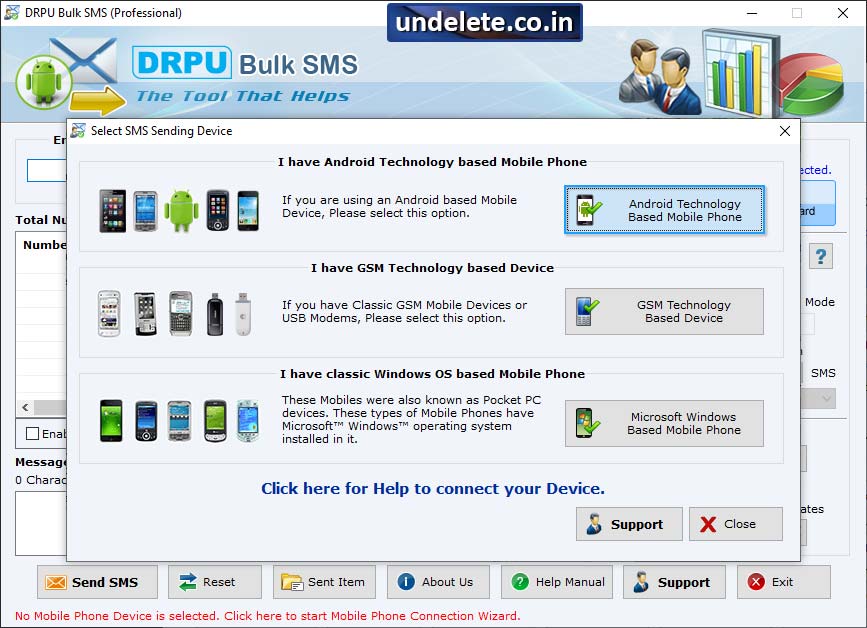
Select the option Android Technology Based Mobile Device
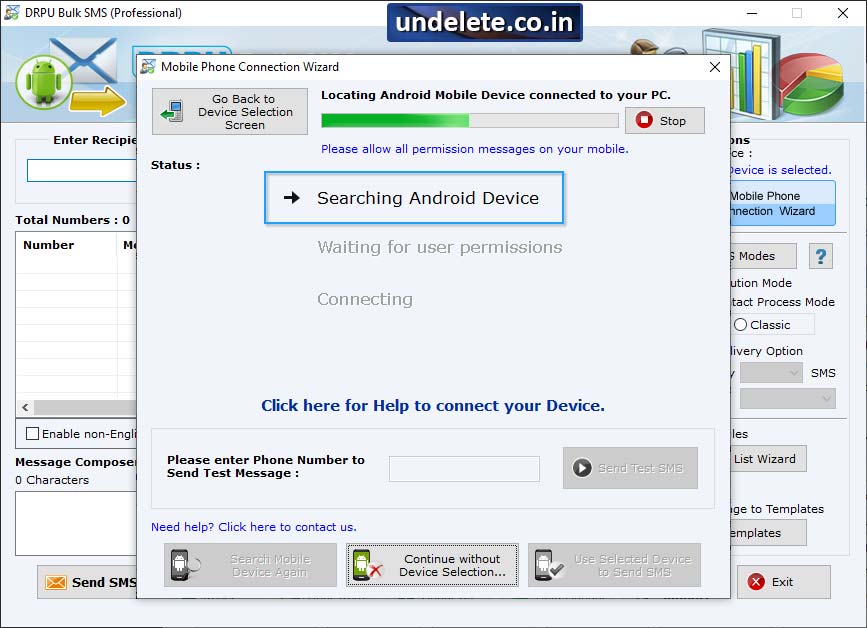
Locating the android device connnected to pc and view details of connnected device.
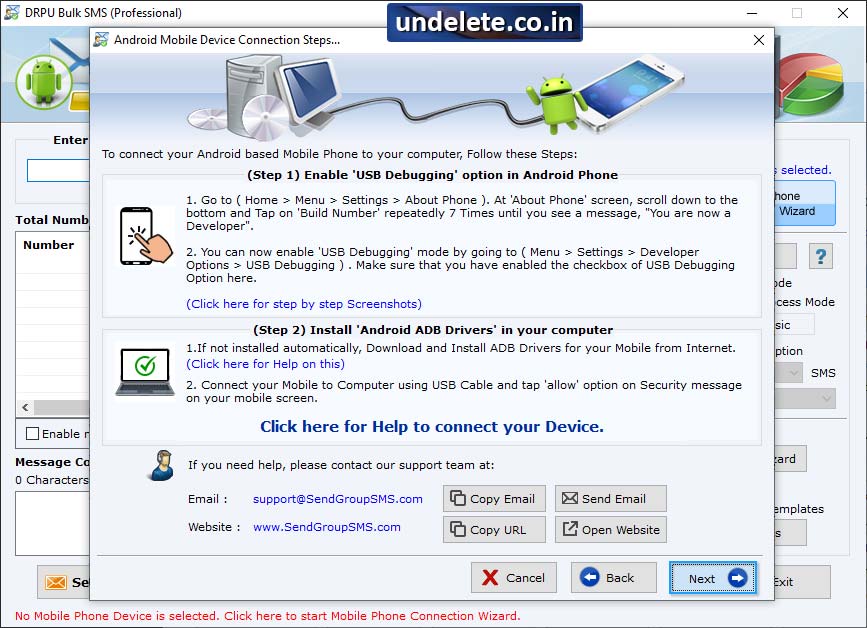
Click 'Mobile Phone Connection Wizard' to establish connection between PC and Software.
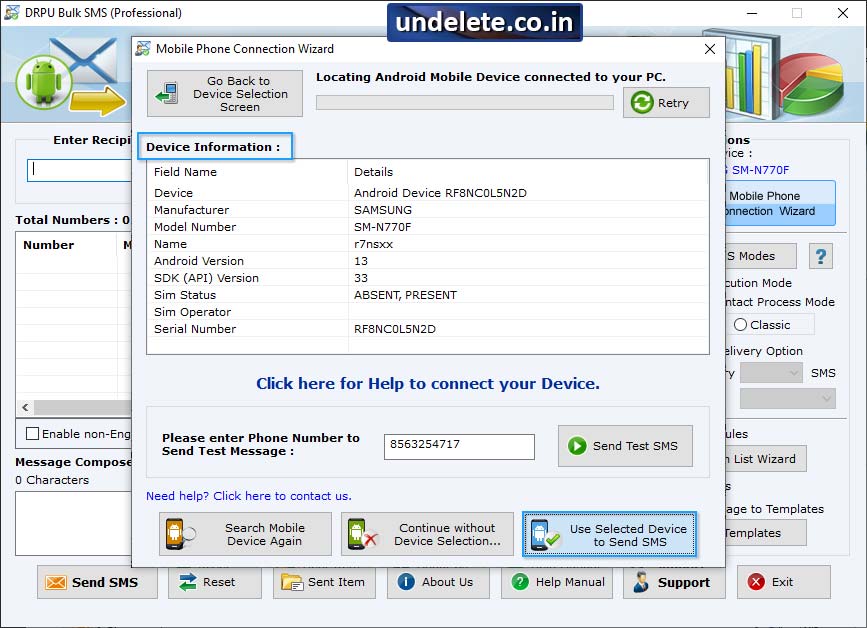
Wizard shows connected device list, select particular COM port to view corresponding device information. Click "Use Selected Device to Sens SMS" button to start message sending process.
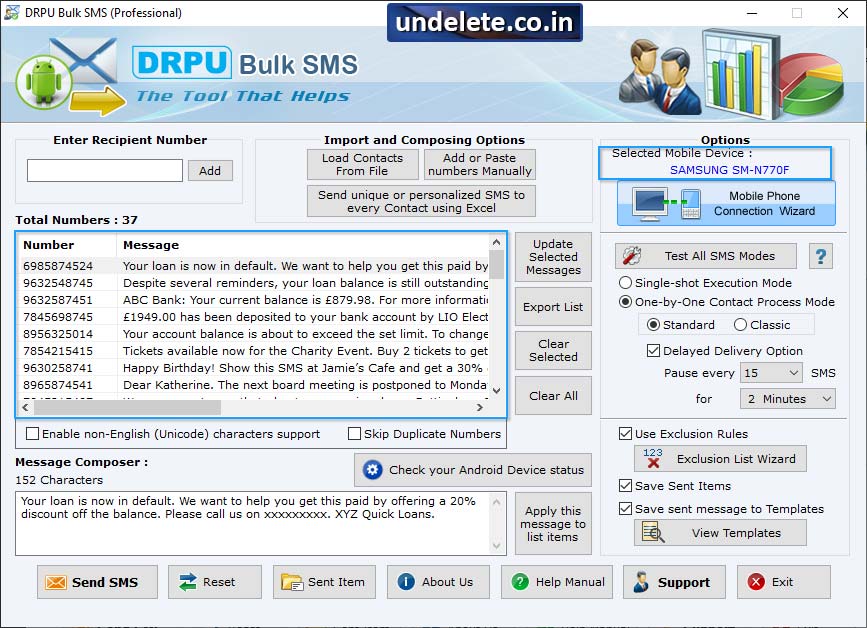
Choose any 'Import and Composing" option and select options like Delayed Delivery, Exclusion Rules, Save Sent Items etc as per your need.
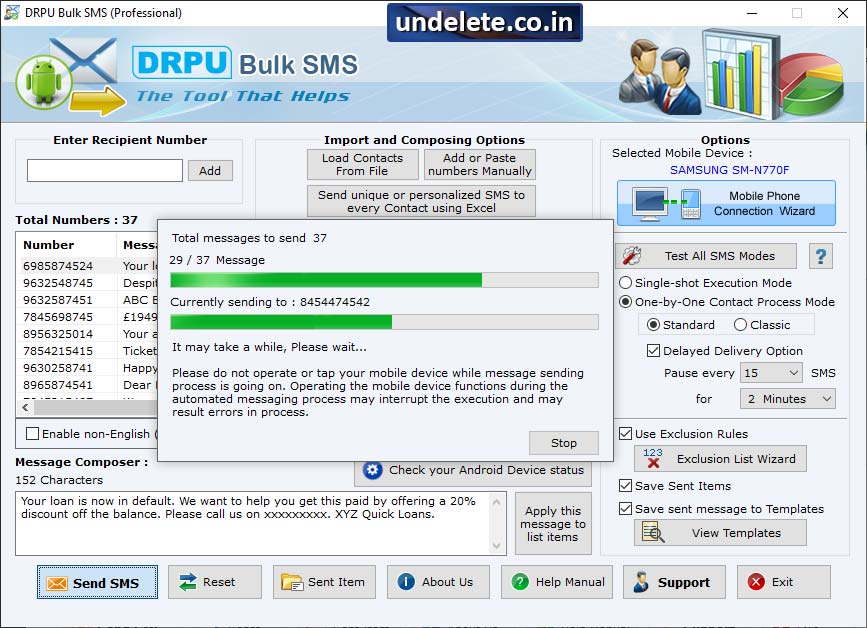
Screenshot shows progress bar to view current status of message sending process.
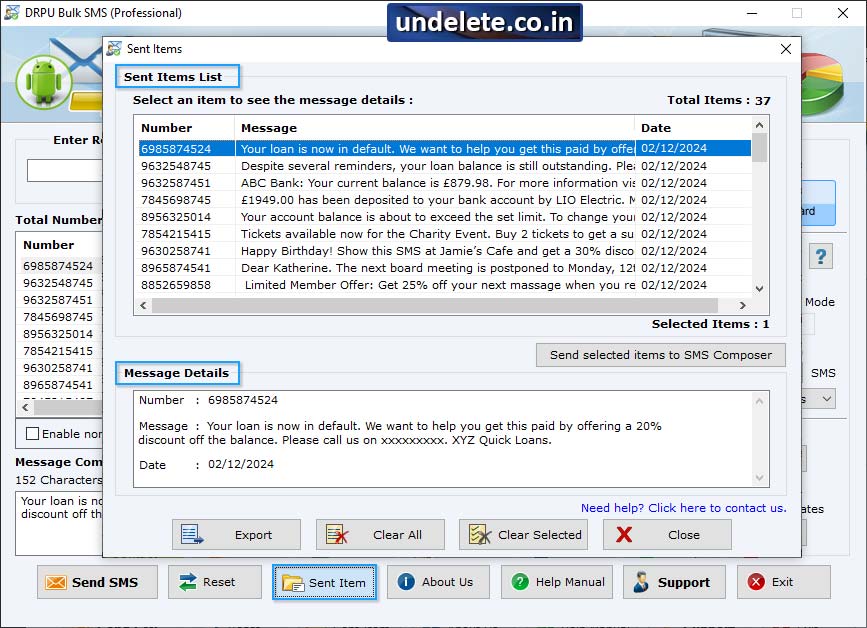
Select item from the message list to view sent message details.


